Writing Effective LLM Skills
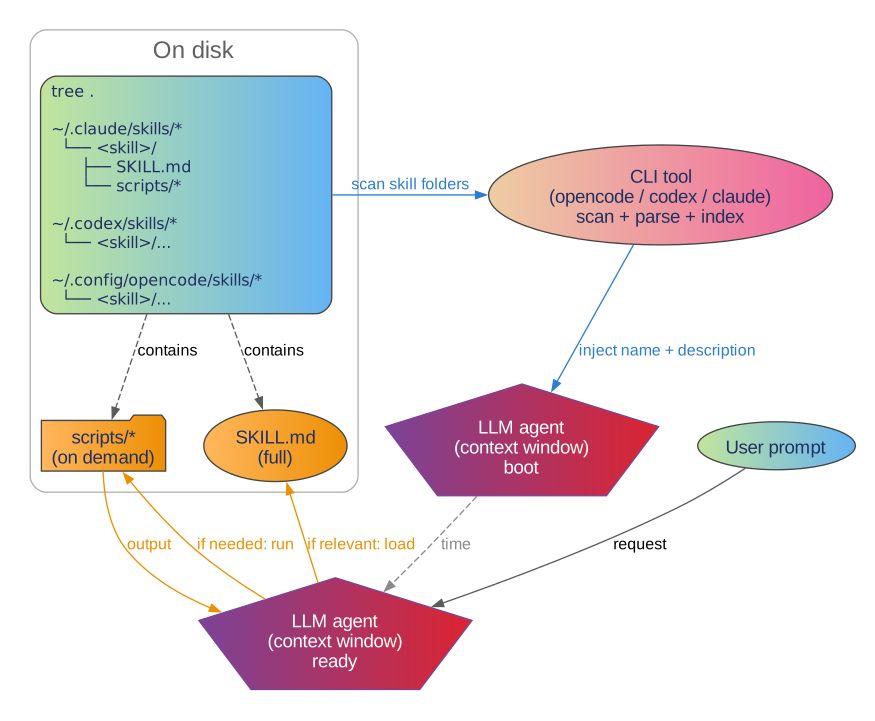
Years ago I started as an embedded developer. Back then, the limited resources were RAM and CPU, so I wrote C and sometimes even assembly! Now, with LLM agents on the rise, the new limited resource is the context window and it’s a precious resource!
Do you remember prompt-engineering? The next evolution of that is called context engineering and skills are the latest approach to do that.
A skill is just a folder with a SKILL.md plus a few scripts:
<skill name>/
├── SKILL.md   # includes frontmatter with "name" & "description"
└── scripts/
    ├── <helper script>.sh
    └── <helper script 2>.py
Only the skill name and description are loaded into the context window. The LLM agent loads skills on demand.
Here’s what I have learned while writing skills:
SKILL.mdshould be as informative as possible: information density is the key.- Be descriptive and avoid being prescriptive: describe how things work. Avoid “do X then Y” at all costs!
- Draft → then rewrite-from-scratch: once you have a messy first pass of
SKILL.md, ask the LLM to rewrite it from scratch, emphasizing:be informative, not prescriptive, information density is the key. The rewrite is usually much smaller and easier to edit. - Scripts matter: the
scripts/directory lets the agent do complex, frequent tasks without polluting the context window.
Example skill: OpenSCAD + BOSL2
OpenSCAD is the go-to CAD tool for software devs: you write .scad code, and it renders 3D geometry. BOSL2 is a batteries-included OpenSCAD library.
My use-case is simple: design small 3D parts I can print.
openscad/SKILL.md: this is what I mean by “information dense”.
---
name: openscad
description: "Design 3D printable objects using OpenSCAD with the BOSL2 library. Use when the user wants to create, modify, or render 3D models (.scad files)."
---

# OpenSCAD BOSL2 Quick Reference

## 1. Transforms & Constants
### Translation & Scaling
- `move([x,y,z])`, `up(z)`, `down(z)`, `fwd(y)`, `back(y)`, `left(x)`, `right(x)`
- `scale([x,y,z])`, `scale(s)`, `xscale(s)`, `yscale(s)`, `zscale(s)`
### Rotation & Mirroring
- `rot([ax,ay,az])`, `rot(a, v=[x,y,z])`, `rot(from=V1, to=V2)`
- `xrot(a)`, `yrot(a)`, `zrot(a)`. All accept `cp=[x,y,z]` to rotate around a point.
- `mirror(v)`, `xflip()`, `yflip()`, `zflip()`. Accept `x|y|z=offset` for plane selection.
### Skewing
- `skew(sxy, sxz, syx, syz, szx, szy)`: `sAB` skews axis A as you move along axis B.
### Direction Constants
- `LEFT [-1,0,0]`, `RIGHT [1,0,0]`, `FWD [0,-1,0]`, `BACK [0,1,0]`, `DOWN [0,0,-1]`, `UP [0,0,1]`, `CENTER [0,0,0]`

## 2. Distributors
- `xcopies(spacing|l=, n=2, sp=)`, `ycopies(...)`, `zcopies(...)`
- `line_copies(spacing=V, n=, p1=, p2=)`
- `grid_copies(spacing=, n=, size=, stagger=true|alt, inside=polygon)`
- `xrot_copies(n=)`, `yrot_copies(n=)`, `zrot_copies(n=)`, `arc_copies(n, r, sa, ea)`
- `xflip_copy()`, `yflip_copy()`, `zflip_copy()`, `mirror_copy(v)`

## 3. 3D Shapes (Enhanced Primitives)
- **Common Args:** `anchor`, `spin` (Z-rot), `orient` (tilt Z-axis to vector).
- `cuboid(size, rounding=, chamfer=, edges=, except_edges=)`
- `cyl(l, r|d, rounding=, chamfer=, rounding1=, rounding2=)`
- `spheroid(r|d, circum=true, style="aligned"|"icosa"|"octa")`
- `tube(id=, od=, h=, wall=)`
- `cube()`, `cylinder()`, `sphere()` are overridden to support `anchor/spin/orient`.

## 4. Positioning & Attachments
### The Anchor System
- **Definition:** Anchors are vectors `[x,y,z]` (components `-1` to `1`) defining points on/in a shape.
- **Logic:** `anchor=A` translates geometry so point `A` sits at the local origin `[0,0,0]`.
- **Standard Anchors:** `CENTER [0,0,0]`, `UP [0,0,1]`, `DOWN [0,0,-1]`, `LEFT [-1,0,0]`, `RIGHT [1,0,0]`, `FWD [0,-1,0]`, `BACK [0,1,0]`.
- **Combinations:** Sum vectors for corners/edges (e.g., `UP+RIGHT` is `[1,0,1]`).

### Transform Order
1. **Anchor:** Translates selected point to origin.
2. **Spin:** Z-axis rotation (in degrees) applied after anchoring.
3. **Orient:** Tilts the Z-axis to align with a target vector.

### Attachment Modules (Parent-Child)
- `position(P_ANCHOR)`: Moves child's origin to parent's `P_ANCHOR`. No rotation.
- `align(P_ANCHOR, C_ANCHOR)`: Moves child so its `C_ANCHOR` is flush with parent's `P_ANCHOR`. No rotation.
- `attach(P_ANCHOR, C_ANCHOR)`: Joins `C_ANCHOR` to `P_ANCHOR` and **rotates** child so its local `UP` matches parent's `P_ANCHOR` normal.
- `attach(P_ANCHOR)`: Single-argument form. Child is attached to parent's face; child's own `anchor` and `orient` are respected.
- `attach_part(name)`: Selects sub-geometry (e.g., `"inside"` of a `tube()`).
- `show_anchors(s=)`: Visualizes anchors. Red flag = Y+ direction, Blue flag = Z+ direction.

### Relative Transforms
- `up()`, `down()`, `fwd()`, `back()`, `left()`, `right()`: Directional translations.
- `zrot()`, `xrot()`, `yrot()`: Axis-specific rotations.
- `recolor("color")`: Applies color to VNFs and complex geometries.

## 5. Tagged Operations & Boolean Logic
- **Tags:** `tag("name")` labels geometry for boolean operations. `tag("")` clears tags.
- **Diff:** `diff(remove, keep)` subtracts "remove" tagged children from the main geometry. "keep" objects are preserved but don't subtract.
- **Intersect:** `intersect(intersect, keep)` keeps only the overlap with "intersect" tagged objects.
- **Hull:** `conv_hull(keep)` computes the convex hull of children, excluding those tagged "keep".
- **Masking:** `edge_mask(edges)` and `corner_mask(corners)` align standard 3D masks (auto-tagged "remove") to parent edges/corners.
- **Profiling:** `edge_profile(edges)` extrudes 2D profiles along edges. `corner_profile(corners, r)` applies 3D profiles to corners.
- **Scope:** Tagged operations work across the entire child hierarchy, allowing "holes" to be defined deep within nested modules.

## 6. Making Custom Attachables
```openscad
module my_shape(..., anchor=CENTER, spin=0, orient=UP) {
    attachable(anchor, spin, orient, size=[x,y,z], r=, l=, vnf=, anchors=) {
        geometry();
        children();
    }
}
```
- **Named Anchors:** `anchors=[named_anchor(name, pos, orient, spin), ...]`
- **Overrides:** `override=[ [ANCHOR, [pos, dir, spin]], ... ]`

## 7. Common Functions
- **Utility:** `typeof(x)`, `is_def(x)`, `any(l)`, `all(l)`, `default(val, dflt)`, `first_defined(list)`.
- **Args:** `get_anchor(anchor, center)`, `get_radius(r1, d1, r, d)`, `scalar_vec3(v)`.
- **Math:** `lerp(a, b, u)`, `sum(v)`, `mean(v)`, `quant(x, y)`, `constrain(v, min, max)`, `posmod(x, m)`.
- **Lists:** `last(l)`, `idx(l)`, `reverse(l)`, `flatten(l)`, `select(l, start, end)`.
- **Vectors:** `unit(v)`, `v_mul(v1, v2)`, `vector_angle(v1, v2)`, `path3d(pts)`, `path2d(pts)`.
- **Matrices:** `move/rot/scale` as functions return 4x4 matrices. `apply(mat, pts)` applies them.

## 8. Tooling & Scripts
The following scripts are available at ./scripts/<script.sh> relative to this SKILL.md file.

```bash
# Installs the BOSL2 library in $HOME/Documents/OpenSCAD/libraries/BOSL2/
bash ./scripts/ensure_bosl2.sh

# Validate a SCAD file
./scripts/scad_tool.py validate --in path/to/file.scad

# Render an STL
./scripts/scad_tool.py stl --in path/to/file.scad --out output.stl

# Take Screenshots:
# Single isometric view
openscad/scripts/scad_tool.py screenshots --in path/to/file.scad --preset single

# Standard views (front, back, left, right, top, bottom, iso)
openscad/scripts/scad_tool.py screenshots --in path/to/file.scad --preset standard

# Custom angles (azimuth:elevation)
openscad/scripts/scad_tool.py screenshots --in path/to/file.scad --angles 45:30,90:45

# Turntable (360 rotation with 10 degree steps)
openscad/scripts/scad_tool.py screenshots --in path/to/file.scad --turntable 10
```

## 9. Resources & Documentation
- **Cheat Sheet:** [BOSL2 CheatSheet](https://github.com/BelfrySCAD/BOSL2/wiki/CheatSheet) - Quick syntax overview.
- **Tutorials:** [BOSL2 Tutorials](https://github.com/BelfrySCAD/BOSL2/wiki/Tutorials) - In-depth guides.
- **Alphabetical Index:** [AlphaIndex](https://github.com/BelfrySCAD/BOSL2/wiki/AlphaIndex) - Every function, module, and constant.

## 10. Visual Debugging & Inspection
- **Modifiers:** `#` (Debug: transparent red, shows `diff` removals), `%` (Background: transparent gray ghost), `!` (Root: isolate subtree), `*` (Disable: ignore subtree).
- **Coloring:** `color("name", alpha)` supports SVG color names (e.g., "Tomato", "DodgerBlue"). Alpha < 1.0 enables overlap inspection.
- **BOSL2 Tools:** `show_anchors(s=)` (Red=Y+, Blue=Z+), `recolor("color")` for VNFs, `half_of(DIR)` for cross-sections.
The scripts are the hammer!
They let the agent take screenshots, validate geometry, render STLs, and install BOSL2 without wasting the context window.
openscad/scripts/ensure_bosl2.sh:
#!/usr/bin/env bash
# Install or verify BOSL2 library for OpenSCAD
# ...
openscad/scripts/scad_tool.py:
#!/usr/bin/env -S uv run --script
"""OpenSCAD helper: validate, render STL, and take screenshots.

Mac-only version with preset screenshot modes and custom angle support.
"""

# ...

# screenshots subcommand
# - preset: single/iso/ortho/standard
# - views: iso/front/top/etc.
# - angles: custom az:el
# - turntable: 360 rotation
Using the skill: building a tray step-by-step
- ask for a tiny change
- render a screenshot
- repeat
Here are my prompt to build a part.
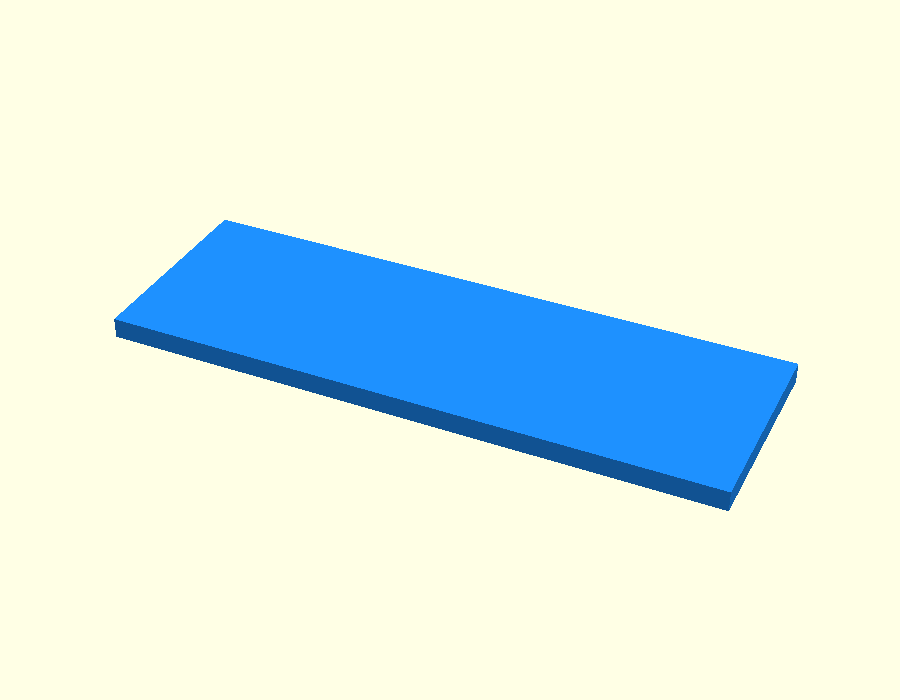
Prompt 1 — “using openscad skill, add a tray.scad file having a cuboid of size 15 cm x 5 cm x 5mm”
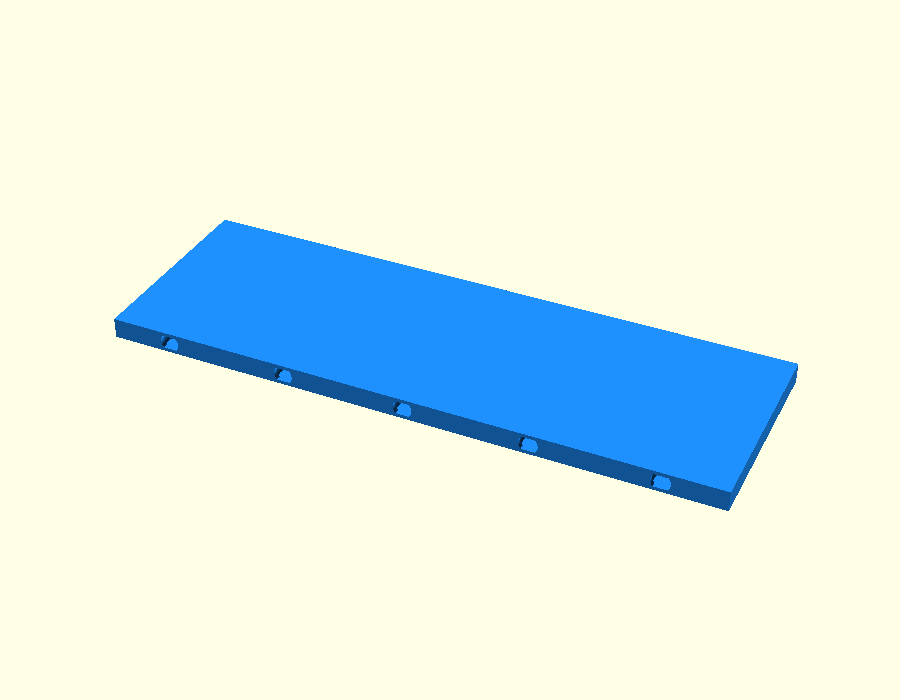
Prompt 2 — “update tray.scad to have snap_pin_socket() holes on the 15 cm x 5mm side with 3 cm spacing between the holes”
Prompt 3 — “refactor that into a module called swall() (short for socketted wall) for re-use”
swall = socketed wall. This is where BOSL2’s attachable() starts paying off.
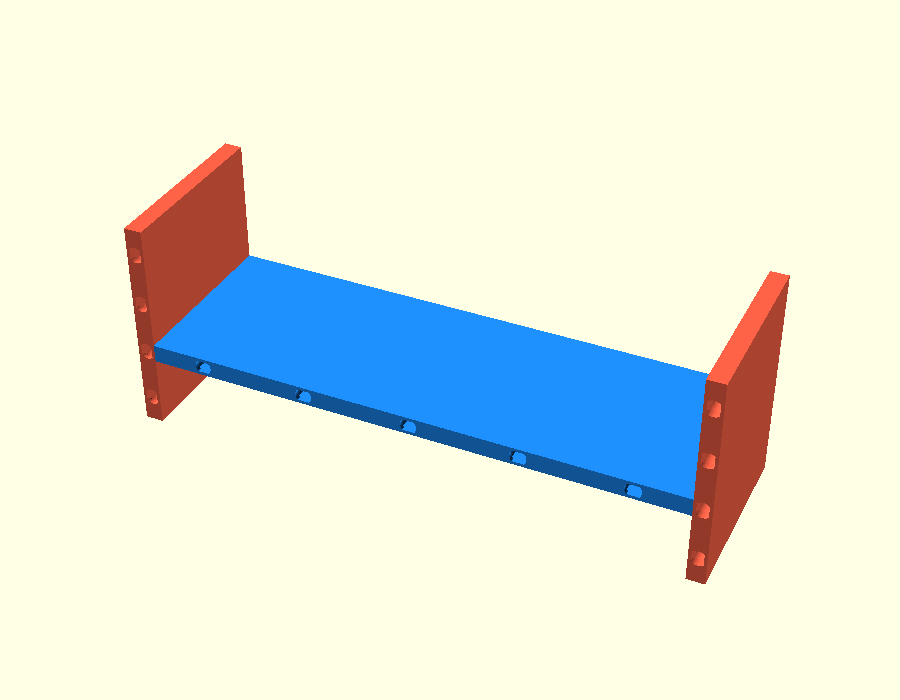
Prompt 4 — “add two perpendicular swalls to the floor part, color them differently”
Prompt 5 — “add a Silver cuboid to the back of the tray”
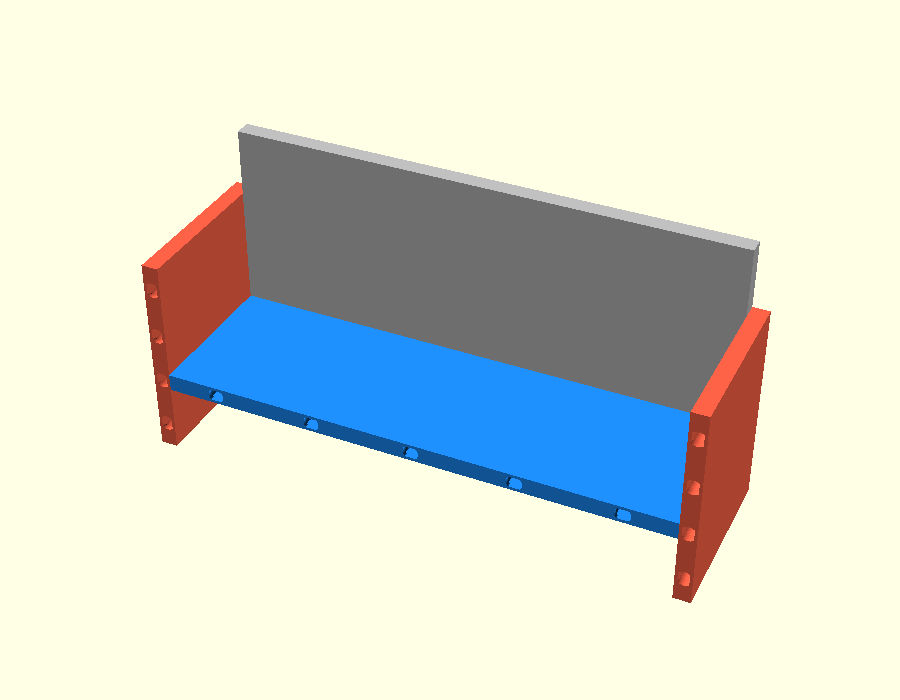
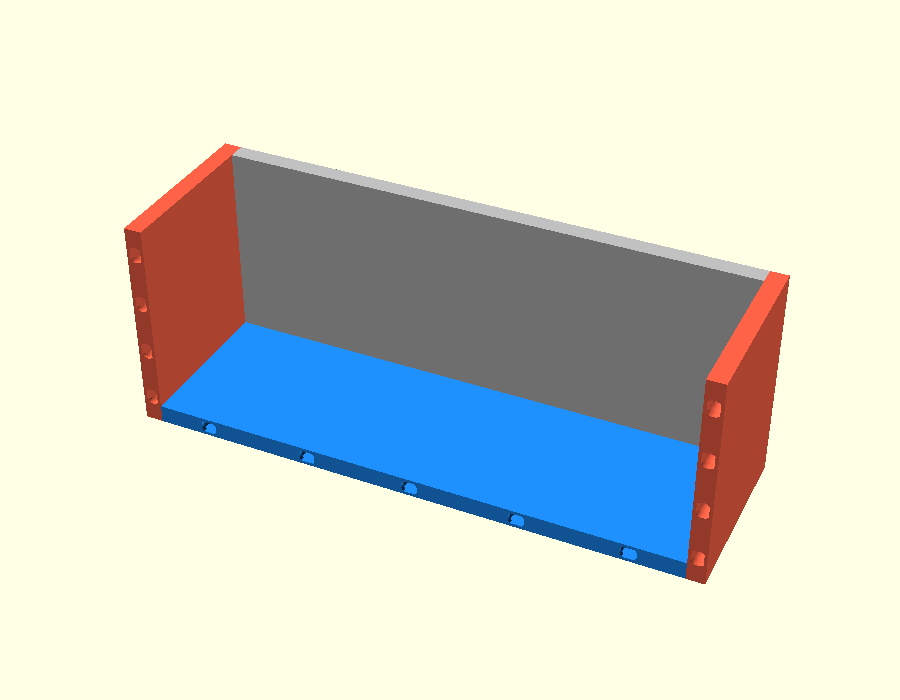
Prompt 6 — “move red walls up to sit flush with the blue floor”
Summary
- Information density wins
- Scripts are context-efficient
- Descriptive beats prescriptive