Figma Chatbot
The Figma MCP server is a decent read-only way to integrate Figma with Claude code. It’s good for frontend development, but it can’t make changes inside Figma.
I wanted something for small, repetitive chores: rename layers, nudge spacing normalize corner radius, etc. So I built figma-chatbot: a local bridge that lets Claude execute JavaScript inside a running Figma Desktop document, using the Figma plugin API. That makes prompts like “change the button color to red” possible.
How It Works
There are two parts, both running locally:
- a tiny Figma plugin window that stays open in Figma
- a localhost bridge that forwards requests from Claude to that plugin
The bridge is only there to connect Claude to the Figma plugin runtime.
Edits happen inside the Figma plugin, where the document is writable.
Setup
figma-chatbot is local-first by design: it runs on your machine and talks to your Figma Desktop app over localhost.
It uses Bun as the runtime for the local bridge.
What the setup looks like:
1) Claude Code side (install + sanity check)
/plugin marketplace add aminroosta/figma-chatbot
/plugin install fig@fig

/fig:setup
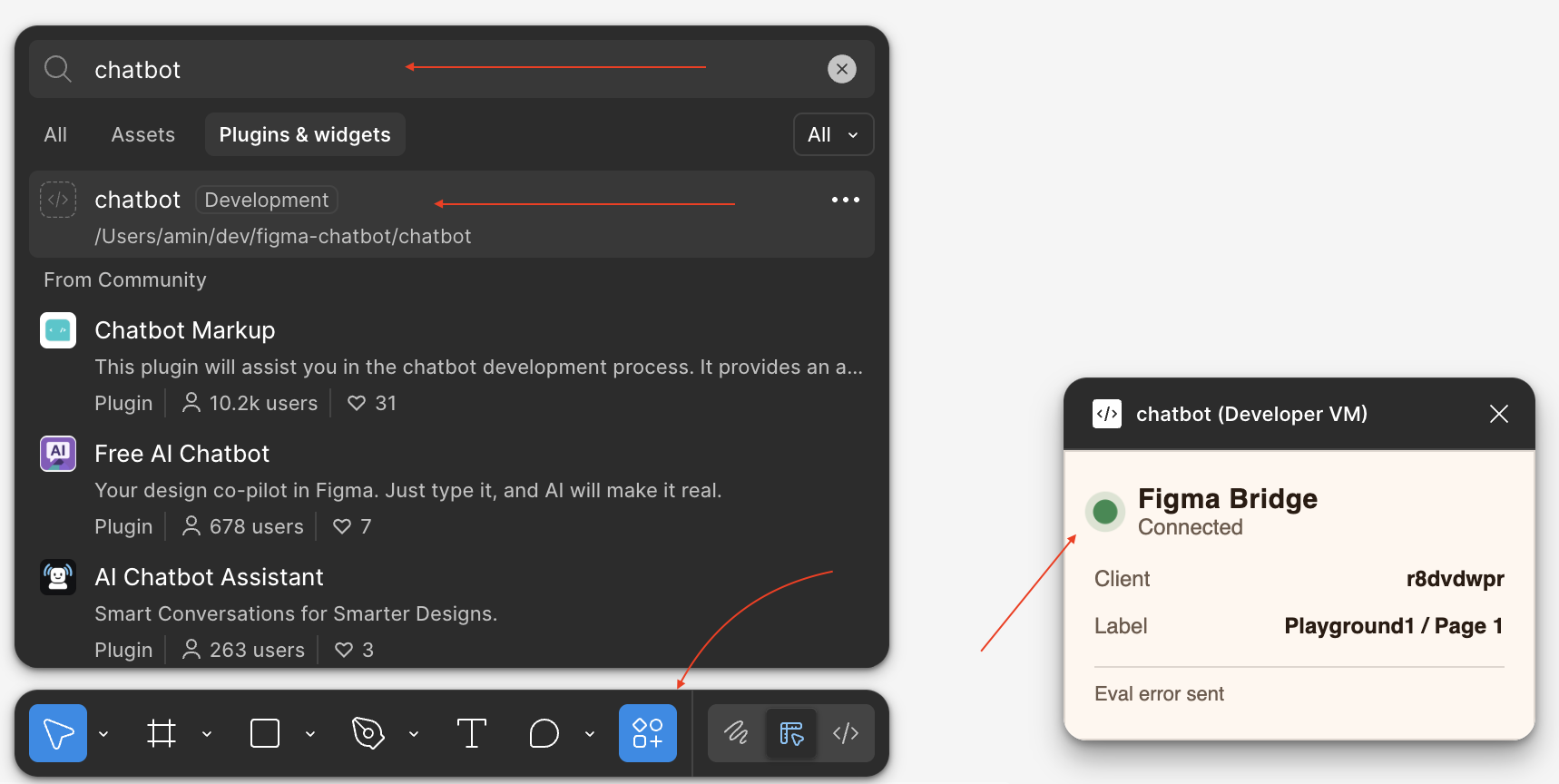
2) Figma Desktop side (import the dev plugin)
- Plugins -> Development -> Import plugin from manifest
- select
~/.claude/plugins/marketplaces/fig/chatbot/(it containsmanifest.json) - run the plugin (Figma command palette:
Cmd+/, search “chatbot”) and keep its window open
3) Back in Claude Code (start the bridge)
/fig:go
# This uses the bridge under the hood to evaluate JS snippets.
The plugin window shows connection state. When it says “Connected”, Claude can send edits.
Using It
Once the bridge is running, prompts like this become possible:
- “Find every instance of Button, make the fill red, and align the padding across variants.”
- “Prefix everything on this page with Marketing/, except frames that already have a prefix.”
- “Rename these layers with a clean scheme, then center the viewport on them.”
If you want to try it, the repo is here: https://github.com/aminroosta/figma-chatbot